You’re ready to invest in screens, have worked out where they need to go, and might even have a strategy ready for what you are going to display. There’s lots to organise and get right when it comes to getting digital signage for internal communications up and running, but there’s one aspect that is often quite easy to overlook: what’s actually going to run your digital signage.
When you’re dealing with multiple displays, different locations, and constantly changing internal communications, manually updating your signage is completely inefficient. That’s why the digital signage software you use can make or break the effectiveness of your investment, with modern, cloud-based solutions standing head and shoulders ahead of an old-school USB stick.
There are plenty of these kinds of platforms available, and some are more suited to the kinds of external displays you might encounter in a retail outlet or at a bus stop. While these can be perfectly good solutions for their intended purpose, digital signage for internal communications comes with its own set of requirements. The software you use needs to be able to share company-wide announcements, display live business information, target content to different locations, and keep everything fresh without introducing a big administrative burden.
So, what is the best digital signage software for internal communications? Here at Agile Comms, we use NowSignage across the digital signage solutions we provide, as it stands out as an excellent option for internal purposes. Here’s what to look for when choosing your software, and why NowSignage probably fits the bill.
What Is Digital Signage For Internal Communications?
In case you’re not quite as far along in your purchasing journey just yet, it’s worth us quickly clarifying what digital signage for internal communications actually is. You’re probably familiar (perhaps without even realising it) with the concept of digital signage already, whether that’s changing menu boards in a coffee shop chain or advertisements on public transport and waiting areas.
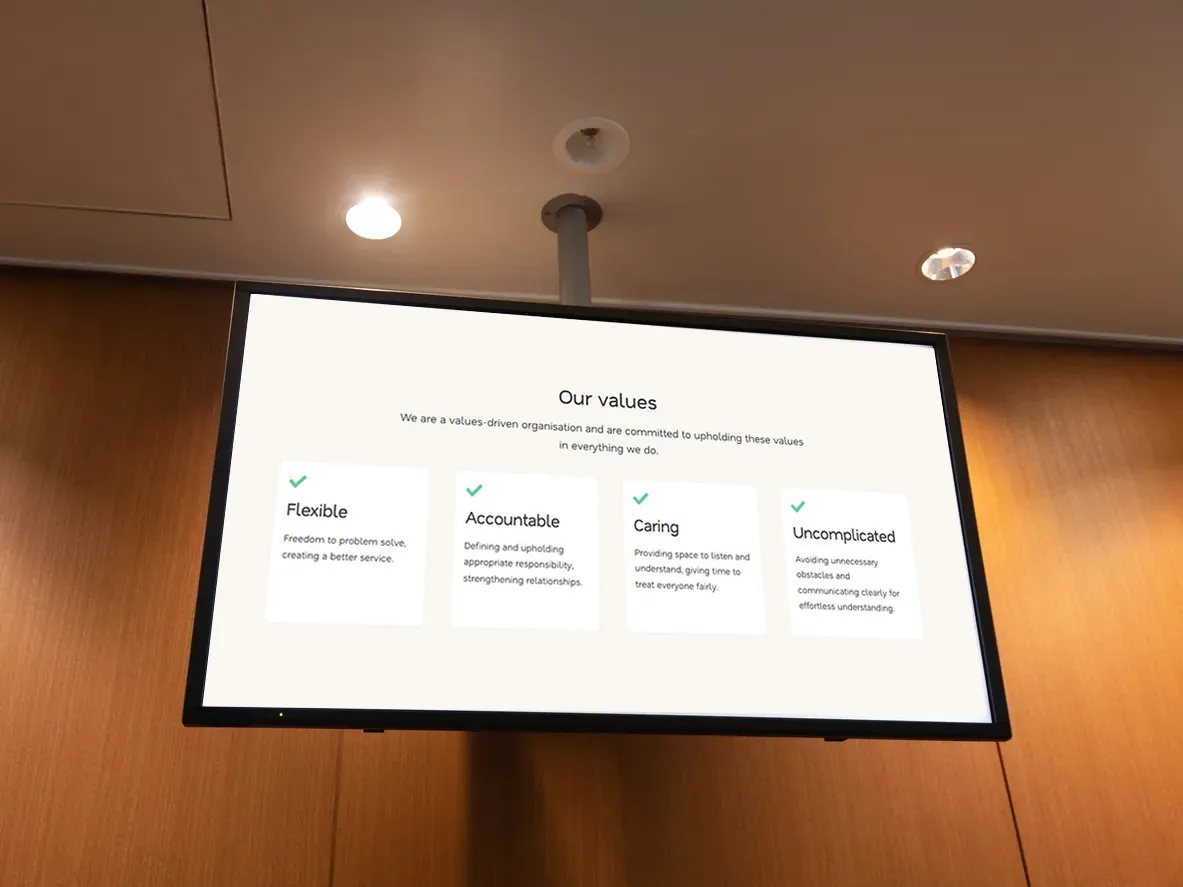
Digital signage for internal communications takes that same concept of sharing changing, visually appealing messaging into the workplace, offering a highly visible way to share information with employees using strategically positioned screens.
Whereas a screen in a shop might be focused on promoting offers, internal communications screens need to deliver relevant information to a specific team, whether that’s to display company news, training information, or employee recognition. This makes the software powering your screens particularly important, as it has to be able to keep up with your strategy and facilitate remote management, quick updates, and targeted messaging.
What To Look For In Your Digital Signage Software
With a proper understanding of what using digital signage for internal communications can make possible, it becomes much easier to know what you need from the software that powers it.
The best digital signage software will offer:
1. Centralised management
Most workplace digital signage includes more than one screen for visibility across the breadth of operations. This means that being able to manage everything from a single platform is invaluable, and good digital signage software should allow you to update displays, groups of screens or an entire network remotely.
2. Simple content management
Digital signage done properly should never become a technical headache. To achieve this, your digital signage software needs to make it straightforward to upload content and create engaging content, even for people who aren’t particularly technical.
This is especially important for internal communications, where wider teams might be contributing to the content. The easier your digital signage software is to use, the more practical it becomes when HR wants to share an employee announcement, or operations need to display an important safety update.
3. Scheduling
Business needs can change quickly day to day, but not every message needs to be published and seen immediately. This is where scheduling can come in. Whether it’s seasonal communications or future events, the ability to schedule content means that you can plan your messaging in advance and make sure that the right message appears at the right time. It also means that you don’t have to remember to manually change your screens every time an announcement or campaign comes to an end.
4. Support for a range of content types
Digital signage can cut through the noise in a way that another company-wide email or physical notice often cannot. As a visual solution, it gives you the opportunity to be more creative with your internal communications and deliver your messages more engagingly. Therefore, the best digital signage software should always support a range of content types, including images, videos, social media feeds and live dashboards.
The Best Option – NowSignage
At Agile Comms, we use NowSignage as the digital signage software behind our solutions because it offers the flexibility and control needed to really get the most out of your digital signage.
Crucially, NowSignage works brilliantly for the demands of internal communications. Rather than simply providing a way to display content, NowSignage gives you the tools to centrally manage your screens, schedule communications and control what appears across different displays and locations. This makes it particularly useful for organisations where internal communications need to reach different audiences without creating a complicated or time-consuming management process.
NowSignage also provides the scalability to add screens and adapt your licence as your requirements grow, so there’s no need to reinvent your entire setup as your digital signage network expands.
Using NowSignage For Internal Comms
The advanced capabilities of NowSignage mean that there are plenty of ways you can use this digital signage software to make your messaging more engaging.
You could use NowSignage to share:
- Company news and announcements
- Health and safety information
- Employee recognition
- Live dashboards
- Events and training
- Company culture and values
The key is to keep your content varied and up to date. Our short guide on how to plan an internal communications digital signage strategy covers this in more detail, including how to choose the right screens and plan your content.
Upgrade Your Digital Signage Now
The right digital signage software will make your communications easier to manage, not add another complicated system to your workload. That’s why we use NowSignage alongside carefully selected hardware to provide complete digital signage solutions tailored to each organisation.
Whether you’re looking for a single screen or a network of displays across multiple locations, the Agile Comms team can help you upgrade to digital signage properly. From choosing the right digital signage software to ensuring the installation is handled professionally, our team can take care of the whole process and provide ongoing support once your system is up and running.
If you’d like to make your internal communications more engaging, please get in touch with us today to discuss your requirements. We can give you a demo of NowSignage and work alongside you to find a digital signage solution that works for your organisation’s needs.

Get in touch
Book a demo or an introductory call to kickstart the process of upgrading with Agile Comms. Enter your details in the form and our trusted experts will be in touch.