We’re delighted to announce the launch of the new Agile Comms Helpdesk Portal, giving you a simpler way to access support, keep track of requests and manage your services with us. With greater visibility and a range of self-service tools, our new Helpdesk Portal is designed to make managing your communications that little bit easier.
What Can You Do in the Portal?
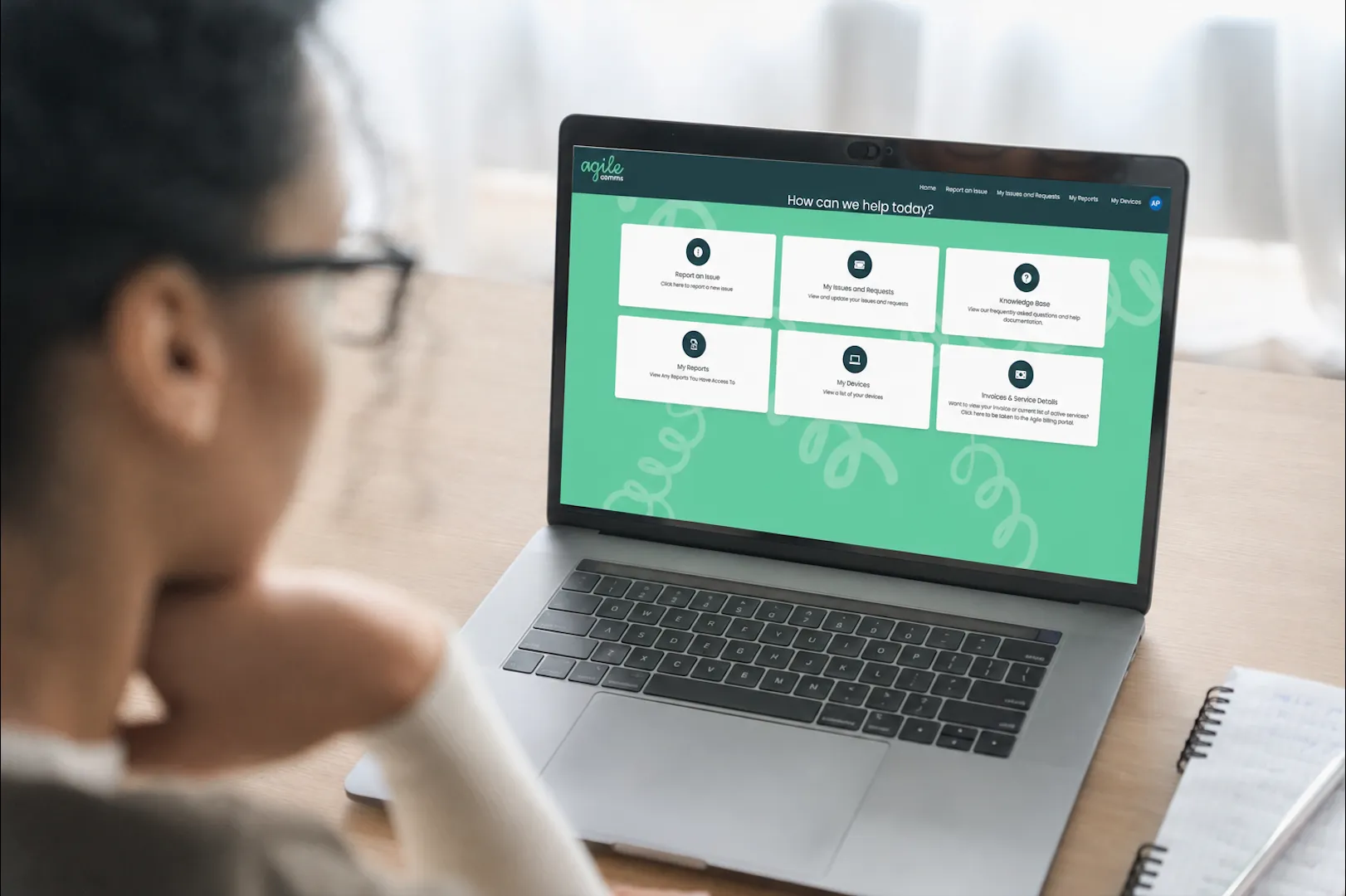
The portal provides a central hub where you can log issues, monitor requests, access helpful resources, and view important information relating to your Agile Comms services.
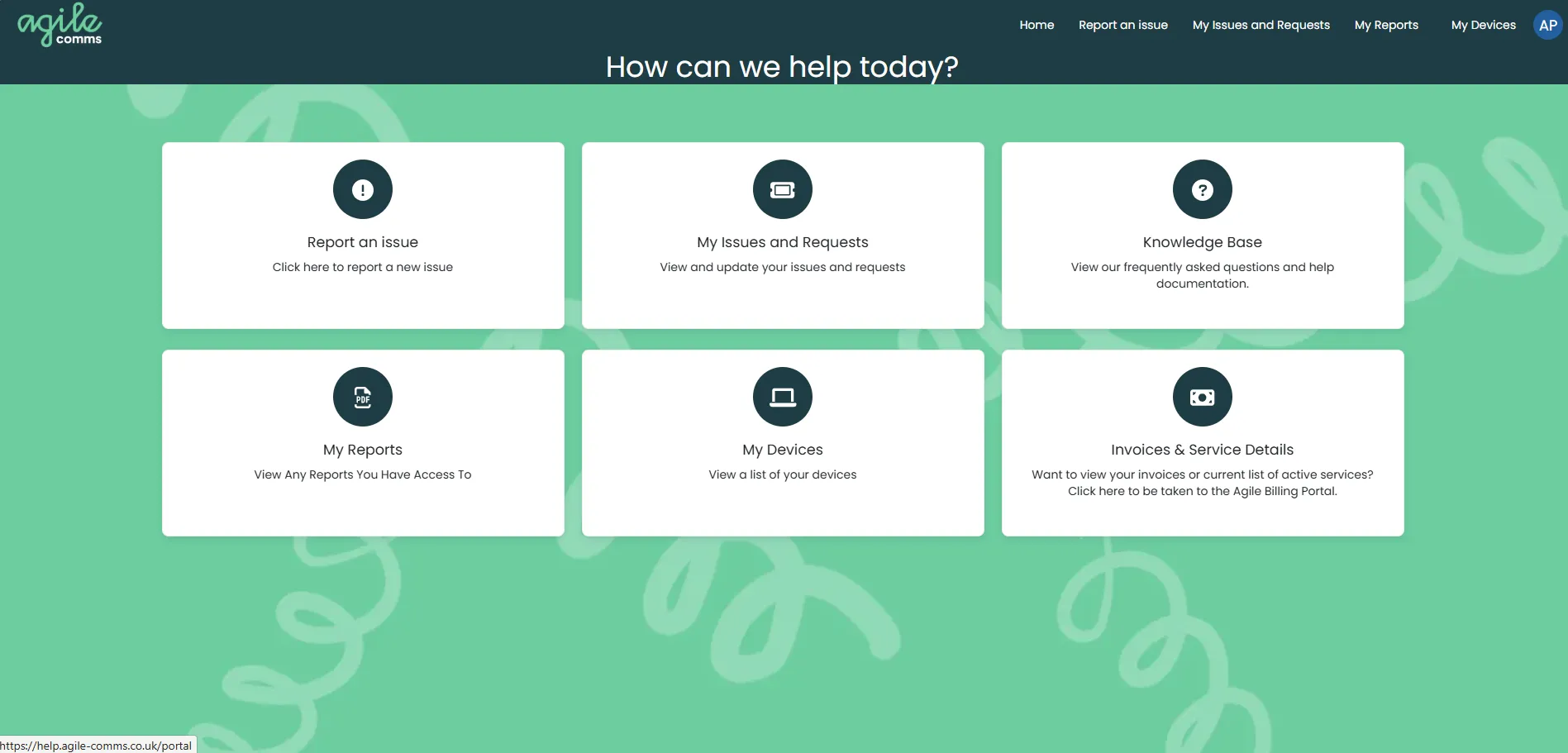
You can:
1. Report an Issue
Need help with one of our services? The Report an Issue option allows you to quickly log a new support ticket directly with our service team. Simply submit the details of your issue, and our expert helpdesk will get to work on finding a resolution.
2. Track Issues and Requests
In the Helpdesk Portal, you can also keep up to date with your support requests and stay informed about their status at each stage.
Within My Issues and Requests, you can:
- View all currently open support tickets
- Add updates or comments to existing cases
- Search and filter historical closed tickets
- Track progress and communication in one place
For customers with the appropriate permissions, such as IT Service Managers, the portal can also give you visibility of all open support cases across your organisation. This gives you a much clearer overview of service activity, making it easier to keep track of outstanding issues and see where support is needed.
3. Access Our Knowledge Base
If you’re looking for a quick answer or want some help troubleshooting an issue yourself, our portal is designed to put useful information at your fingertips, whenever you need it.
Our growing Knowledge Base contains helpful guides, how-to articles, and troubleshooting information covering:
- UCaaS solutions
- Flexible Business Mobile SIMs
- Connectivity services
- Digital Signage
- Video Conferencing
Whether you’re looking for a quick setup guide or assistance resolving a common issue, the Knowledge Base is available 24/7, so you can find the information you need without having to wait for a response from our team.
4. View Reports
The My Reports section provides authorised users with access to company reporting, helping you review and monitor support activity, ticket trends, response performance, and other service-related metrics. This section of the portal is a particularly useful way to keep an eye on how support is being managed and identify any trends that might need further attention.
5. Keep Track of Devices
You can also keep track of your hardware within the Helpdesk Portal. The My Devices area displays any equipment purchased from us, providing a useful asset register to enable you to manage your communications and technology estate more effectively.
6. Find Invoices
If you need to check a service or find an invoice, you can access your billing information directly through the portal.
Selecting Invoices & Services will take you directly to the Agile Comms Billing Portal, where you can:
- View active services
- Review billing information
- Access historic invoices
- Monitor service subscriptions
Getting Started
To help you get the most out of the new Helpdesk Portal, we recommend arranging an onboarding session with the team as we roll it out to our customers.
During onboarding, we can:
- Demonstrate the portal’s features
- Help configure user permissions
- Set up management-level access where required
- Ensure users have access to the areas most relevant to their role
We’ll make sure that you know how everything works and that the right people have access to the right information, ensuring you can get the most out of the portal’s features.
Of course, having the right tools is only part of a good support experience, and it’s really important to us that our customers know there’s a knowledgeable team on hand whenever they need support. You can still continue to contact us through all of the usual methods, and you’ll be greeted by the same friendly experts at the end of an email or phone call.
We’re delighted that those who have already been onboarded are enjoying the new features and greater visibility of their services, with one of our customers commenting:
“The portal is super friendly and easy to use, with a highly responsive team of engineers who are quick to resolve any issues and provide support in a timely manner. The overall experience is smooth, efficient, and reliable.”
If you’d like to get stuck into the new Helpdesk Portal and arrange your onboarding session, please get in touch using our contact form, by emailing us at hello@agile-comms.co.uk, or by calling our helpdesk on 01752 914260.
We’re excited to provide a more streamlined support experience and look forward to helping you make the most of the new Agile Comms Helpdesk Portal.

Get in touch
Book a demo or an introductory call to kickstart the process of upgrading with Agile Comms. Enter your details in the form and our trusted experts will be in touch.