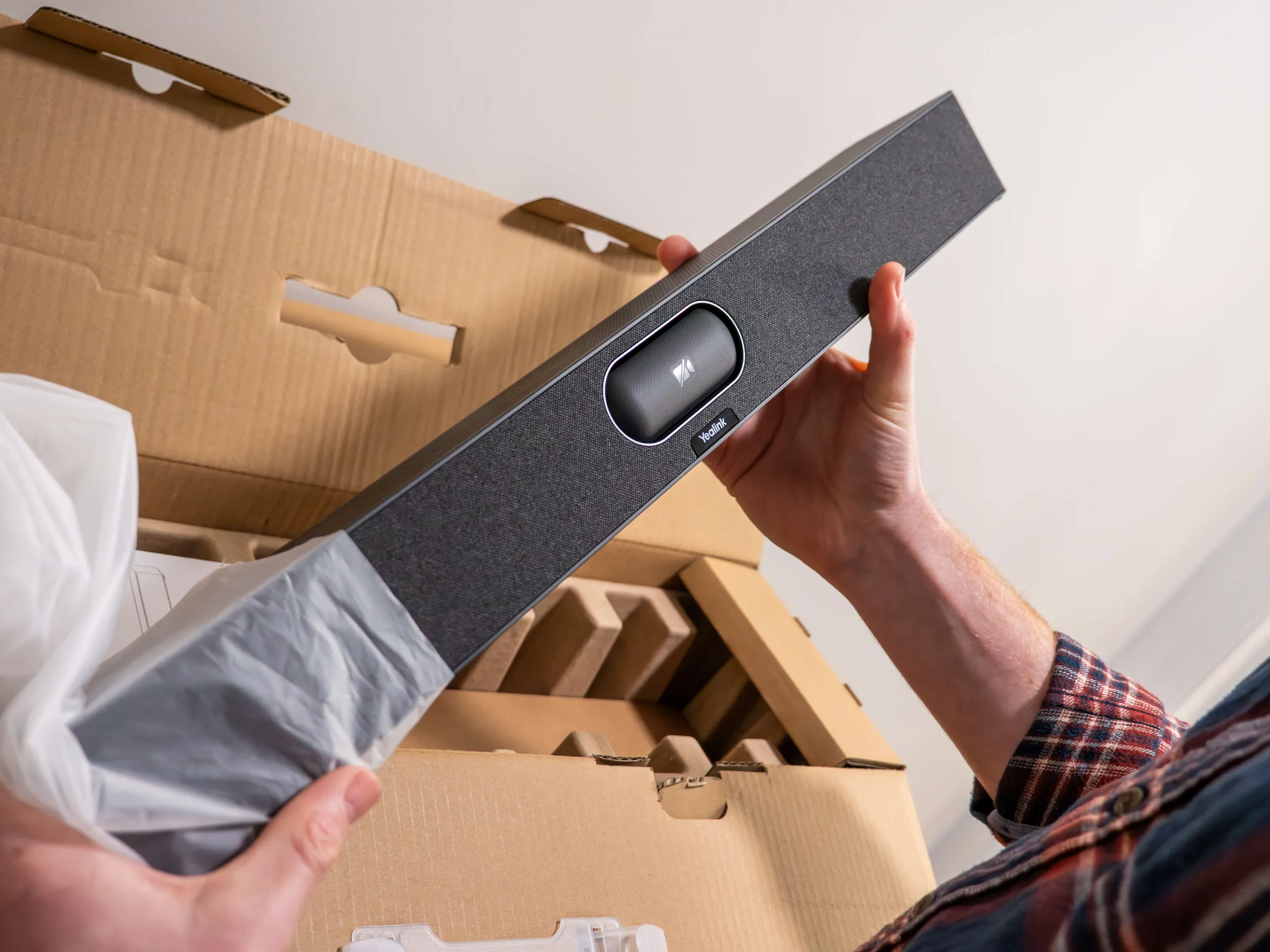
We’ve seen first-hand from our clients how the Yealink Teams Rooms range can transform the video conferencing experience for businesses. Whether it’s the Yealink A50 all-in-one meeting bar transforming larger meeting rooms or the flexible MeetingBoard Pro bringing a collaborative experience to wherever teams are working, Yealink’s range of video conferencing solutions is really setting a precedent for how video meetings should actually run in the hybrid working era.
Where the Yealink Teams Rooms range really stands out is in its versatility. Not every business needs the most powerful bit of video conferencing kit available and, equally, not every meeting takes place in your main boardroom. In fact, smaller meeting rooms and huddle spaces often host some of the most important conversations of the day, so getting the kit right in these rooms is arguably even more important.
This is where the new Yealink A25 comes in, and we’re incredibly excited about it. Replacing the much-loved A10, the A25 brings Yealink’s latest AI features and premium Teams Rooms meeting experience to compact meeting rooms. Here’s what you need to know about it.
What Is The Yealink A25?
The Yealink A25 is an all-in-one Microsoft Teams Rooms meeting bar, designed specifically for ‘compact focus’ rooms and smaller meeting spaces seating around 4-5 people. Rather than filling your meeting room with separate cameras, speakers and microphones, the A25 is designed to be a complete video conferencing solution and combine everything you need to hold better meetings in one sleek device.
If you’re already familiar with the Yealink Teams Rooms range, it’s good to know that the A25 essentially replaces the A10. It takes everything that made its predecessor the perfect Teams Rooms solution for small meeting rooms and improves it further, with better AI capabilities and enhanced audio. It’s also fully compatible with the interfaces your teams already know and use every day, including Microsoft Teams and Zoom, making it a seamless addition to smaller spaces without overcomplicating things or requiring new platforms to be learned.
Key Features
Like every device in the Yealink Teams Rooms range, the Yealink A25 has been designed to simplify business video conferencing and ensure that everybody in your business can walk into a meeting room and get a video call started in a single click.
Each feature has been designed to solve the everyday frustrations your teams might experience during video meetings, whether that’s poor audio, not being able to see the speaker on the screen, or struggling to share their screen with colleagues and clients. The standout features of the Yealink A25 include:
AI-Powered Camera System
We’ve all sat on a video call and not been able to properly see who is speaking. It’s frustrating, and a surefire way of making it really hard to have a properly engaging and productive conversation.
The Yealink A25 solves this with an intelligent AI-powered 4K camera system. Automatic framing keeps everyone in view, while speaker tracking and IntelliFocus naturally follow the conversation by highlighting the active speaker.
It also includes Yealink’s clever Video Fence technology, creating a virtual meeting boundary so that movement outside the meeting space isn’t shown or heard. The result is a much more engaging meeting for remote attendees, free from distractions with the feeling of all being sat around the same table.
Simple One-Plug Setup
You’re also not alone if you’ve sat awkwardly in a video meeting where the first ten minutes are spent trying to get the technology working, or been called into an already running meeting in the hope that you’ll have the magic fix to connectivity issues or dodgy cables.
One of the best things about the Yealink A25 is that it has been cleverly designed to remove these headaches. The all-in-one design means there’s no faffing with separate devices when the meeting starts, while a single USB-C connection from the touch console to your device allows for quick and seamless content sharing.
The A25 also deploys a single Cat5e cable from the bar to the touch console, which provides power and connectivity via one cable. This allows for a neat finish, with no excess trailing cables that can be tampered with or add an unprofessional look to your space on camera.
Professional Audio
Even if ideas are flowing and intentions are great, poor sound quality can easily ruin an otherwise productive meeting. Whether remote attendees are struggling to hear conversations clearly or you’re dealing with distracting background noise, the meeting can quickly be derailed by sound issues.
However, the Yealink A25 uses an intelligent microphone array with full-duplex audio and advanced AI-powered noise cancellation to keep conversations clear and natural. Everyone in the meeting room can be heard without needing to raise their voice or move closer to the microphone, while unwanted office noise is filtered out automatically.
Get The Yealink A25 With Agile Comms
If the Yealink A25 sounds like the perfect video conferencing solution for your meeting room, speak to us. At Agile Comms, we’ve been supplying and installing Yealink Teams Rooms solutions for businesses across the South West and beyond for years.
We’re now delighted to be supplying and installing the Yealink A25 and look forward to continuing to help organisations with smaller meeting rooms create modern video meeting spaces that work as they should. Whether you’re upgrading from an older system or fitting out a brand-new huddle room, our expert team can help you determine whether the A25 is the right fit, before handling everything from the installation through to ongoing support.
Please get in touch with our team today, and we can show you how the Yealink A25 can transform even the smallest meeting room into a professional hybrid collaboration space.

Get in touch
Book a demo or an introductory call to kickstart the process of upgrading with Agile Comms. Enter your details in the form and our trusted experts will be in touch.